
-
Our deepest thanks to the many GTD enthusiasts who have posted in and read this forum over the years. Because use has been steadily declining in recent years, we have reluctantly decided to make this forum a read-only reference archive. There is an active GTD discussion community on the new GTD Connect. Copy/paste this link to get a free trial: https://bit.ly/4hYicYV We still offer a range of other free resources for GTD enthusiasts at: https://gettingthingsdone.com/resources/
You are using an out of date browser. It may not display this or other websites correctly.
You should upgrade or use an alternative browser.
You should upgrade or use an alternative browser.
Organizing Business Cards
- Thread starter GTD_Joe
- Start date

enyonam
0
GTD_Joe;108568 said:Does anyone have a suggestion on what to do with the mounds of business cards you collect? Is there a way to scan them into google contacts or iphone quickly? I havent found a quick and simple way so they pile up. Thanks!
Yup, there are apps that allow you to scan them into your contacts. I don't use an iPhone so don't know what they are but a bit of research should point out the most popular ones. After that, all that paper should become redundant and can be recycled (either to someone else who needs the contact, or to the recycling plant!).

Consider NFC business card tags
To avoid contributing to this problem for others, consider getting some NFC stickers for the backs of your own business cards. That way clients can tap their phone to your card to get your contact info automatically saved in their phone, negating the need for you to hand out your card.
And they hold more info and work more quickly than QR codes. No internet needed!
Attached files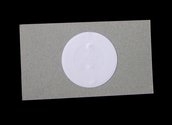
To avoid contributing to this problem for others, consider getting some NFC stickers for the backs of your own business cards. That way clients can tap their phone to your card to get your contact info automatically saved in their phone, negating the need for you to hand out your card.
And they hold more info and work more quickly than QR codes. No internet needed!
Attached files

TesTeq
0
It will not work with iPhone.
It will not work with iPhone. Most of my business contacts use iPhones.
thumbtag;111110 said:To avoid contributing to this problem for others, consider getting some NFC stickers for the backs of your own business cards. That way clients can tap their phone to your card to get your contact info automatically saved in their phone, negating the need for you to hand out your card.
And they hold more info and work more quickly than QR codes. No internet needed!
It will not work with iPhone. Most of my business contacts use iPhones.
Scan business cards
Hi!
After trying several BC scanner apps for Iphone in the last years I landed at ScanBizCards. It has a really good character recognition and the need to correct is minimal. And as I work with SalesForce it comes really handy because it allows you to create a lead automatically from the app.
Can recommend! My piles did shrink
Have a nice day
Hi!
After trying several BC scanner apps for Iphone in the last years I landed at ScanBizCards. It has a really good character recognition and the need to correct is minimal. And as I work with SalesForce it comes really handy because it allows you to create a lead automatically from the app.
Can recommend! My piles did shrink
Have a nice day
Try evernote app. I love how my life got organized after I downloaded that.