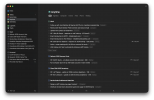
When I read this article, I did not think it was simple:
As you can see, connecting next actions to projects inside Reminders can be cumbersome because we have to set up a tree-like structure where next steps are nested under projects using drag-and-drop. When you have an Inbox list (which we will talk about later), you have to drag the reminder to the corresponding list inside “Planning,” then click on the list again in the sidebar, find the reminder, and drag it under its project. The last step can be done using keyboard shortcuts, but it is far from being as intuitive as assigning projects to next actions in OmniFocus or Things; people accustomed to these apps can feel like this step is a chore in Reminders which results in more time spent on system administration than necessary.
I agree, I read the article and did enjoy the in-depth explanation, but I think I would prefer the method of a previous poster of using tags for context & separate lists for projects.When I read this article, I did not think it was simple:
Nice, what is your list setup? I only see Inbox and whatever is inside the places folder> Don't use contexts as lists; use them as tags.
I'll do you one better. Use tags for contexts, create lists for Projects and then use Smart Lists to get your context lists.
The screenshots look kinda empty because I'm in the process migrating from Obsidian. Don't get me wrong, I love Obsidian, but ingestion and quick checks on mobile are too hard, so I'm trying to simplify with Apple Reminders.
My lists are split into 3 groups:Nice, what is your list setup? I only see Inbox and whatever is inside the places folder
You can link the two pretty easily if you keep one simple rule. Put every project in its own list, then add one reminder inside each list tagged as your next action. Your context lists stay clean because you only drag the next action into them, not the whole project. When you finish that task, open the project list, pick the next step and tag it. It keeps things moving without turning Reminders into a maze.Hi, I'm curious about how people are managing the interaction between projects and next actions in the Apple Reminders app.
I have a list of projects broken down by my areas of focus and separate next action lists by context (home, garden, internet etc.). Does anyone have tactics about how they manage the interaction between the two?
Many thanks in advance,
Damian