Our deepest thanks to the many GTD enthusiasts who have posted in and read this forum over the years. Because use has been steadily declining in recent years, we have reluctantly decided to make this forum a read-only reference archive.
There is an active GTD discussion community on the new GTD Connect. Copy/paste this link to get a free trial:
https://bit.ly/4hYicYV
We still offer a range of other free resources for GTD enthusiasts at:
https://gettingthingsdone.com/resources/
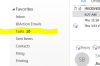

 . i was using GoDaddy, whom I never had a problem with ... until Outlook365. I went back to their plain-SMTP email and this problem (un-read count of email in folders) and other problems disapeared! I know Outlook really well but Outlook365 is too clunky.