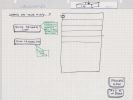
Best GTD "Control Panel / Dashboard"

Wondering what GTDers have found what "Control Panel / Dashboard" is the best tool for decreasing numbness~overwhelm~repulsion ?

As in other words Outcome:
A "Control Panel / 'Dashboard'" that shows as much Listing as necessary while facilitating as much immediate access to as much detail as possible while keeping the overall Lists "Control Panel / 'Dashboard'" as attractive as possible ?

Thank you very much

As one sees how GTD fits best. . . .
 
This seems to me to be very personal and app-dependent. For me, it’s also time dependent: how I want to see things in a daily dashboard changes depends on where my projects are. Some weeks and moths are intensely focused on a few projects while other periods much less so. I have found that a simple flexible layout with manual sorting works pretty well. I might feel differently if I were using an app with more customizable views, but I have become impatient with a lot of fiddling.
 
This seems to me to be very personal and app-dependent. For me, it’s also time dependent: how I want to see things in a daily dashboard changes depends on where my projects are. Some weeks and moths are intensely focused on a few projects while other periods much less so. I have found that a simple flexible layout with manual sorting works pretty well. I might feel differently if I were using an app with more customizable views, but I have become impatient with a lot of fiddling.
@mcogilvie

Thank you for your good GTD post

Indeed . . . GTD Dashboard as Adaptably-Flexible as possible sounds like a necessity for enduring sustainability while life is a random as it is, thank you very much

Again, thank you very much for extending your very good GTD proficiency experience
 
I don't go with a dashboard. Instead, I go for mental clarity and tools to give me quick access.

I get mental clarity from the weekly review and from engaging with my lists.

I get quick access from:

- Starting my email, calendar, task manager and reference system from my keyboard.
- Closing anything I am not currently using.
- Software to arrange windows on the screen using keyboard shortcuts: https://rectangleapp.com/
- Lists and reference in the same software (Obsidian)
- The ability to locate Obsidian files using folders, search or hyperlinks.
 
I don't go with a dashboard. Instead, I go for mental clarity and tools to give me quick access.

I get mental clarity from the weekly review and from engaging with my lists.

I get quick access from:

- Starting my email, calendar, task manager and reference system from my keyboard.
- Closing anything I am not currently using.
- Software to arrange windows on the screen using keyboard shortcuts: https://rectangleapp.com/
- Lists and reference in the same software (Obsidian)
- The ability to locate Obsidian files using folders, search or hyperlinks.
@cfoley

Really need the "Control Panel / Dashboard" to avoid 'What's Going on Over their Syndrome' . . . trust issues?

Meanwhile, everything you express is clearly triple GTD blackbelt

Will undoubtedly and most gratefully be able to extract some GTD nuggets from your very good GTD practice

Thank you very much
 
I wonder what I would want in a dashboard if I did have one.

I like working distraction-free, so I might not want to know if there is anything new in my inbox. So, a dashboard that is open all the time would have to omit that information, or I would constantly want to be checking my inbox. On the other hand, I can see the point of view that a dashboard should have a summary of everything in my system, so it should at least have an indicator for my inbox (zero or non-zero).

So, I suppose the design of dashboard would come down to why I want or need one.

Well, I don't want a general GTD dashboard. What about a more specific one? How about a 'start the day' dashboard. I have a startup routine already. I make a coffee, check my calendar, check my ticklers and then get to work. I suppose getting to work means either going to a context list to execute, or to my inbox to process or to just start doing something.

So, I think for me a good GTD dashboard would

- Be a 'start the day' dashboard.
- Show my calendar for the day.
- Show my ticklers for the day.
- Have links to email and each context list.
- If it could make my coffee, that would be the icing on the cake.
 
So, I just did my start the day routine. I didn't time making my coffee, but it took less than a minute to check my calendar and my ticklers. I now think that a 'start the day' dashboard would not save me any time, and it would add a small piece of complexity to my system. That dashboard is not for me either.
 
Wondering what GTDers have found what "Control Panel / Dashboard" is the best tool for decreasing numbness~overwhelm~repulsion ?

As in other words Outcome:
A "Control Panel / 'Dashboard'" that shows as much Listing as necessary while facilitating as much immediate access to as much detail as possible while keeping the overall Lists "Control Panel / 'Dashboard'" as attractive as possible ?

Thank you very much

As one sees how GTD fits best. . . .
Great question — and what you’re describing is actually very close to what David Allen sketches in the “ideal GTD app” blueprint.

In the GTD methodology, the purpose of a system is not to impress you visually. It’s to give you Control and Perspective — nothing more, nothing less.

What most people call a “dashboard” is often an attempt to solve a deeper discomfort: numbness, overwhelm, or subtle repulsion toward looking at one’s lists.

Here’s the key distinction:

1️⃣ GTD does not require a dashboard

It requires:
  • Clear lists (Projects, Next Actions by context, Waiting For, Someday/Maybe)
  • A trusted Calendar
  • A Weekly Review
  • Clean separation of horizons
That’s it.

If your lists are:
  • Complete
  • Current
  • Reviewed
…you already have your “control panel.”

2️⃣ The “ideal dashboard” in GTD terms

The GTD blueprint (as David has described it over the years) implies something very simple:

A view that shows:
  • Calendar (hard landscape)
  • Next Actions by context
  • Projects list (for review, not for doing)
  • Waiting For
With frictionless drill-down into project support and reference.

Notice what’s not required:
  • KPIs
  • Visual heatmaps
  • Progress bars
  • Gamification
  • Fancy widgets
Those can be useful — but they are not structural to GTD.

3️⃣ Why the “perfect dashboard” is hard

The real challenge isn’t design. It’s object architecture.

Your ecosystem might include:
  • Tasks
  • Projects
  • Areas of Focus
  • Goals
  • Tags
  • Contexts
  • Energy filters
  • Delegations
  • Teams
  • Notes
  • Attachments
Depending on how those objects are modeled in your tool (Todoist? Things? Omnifocus? Notion? Teams? Custom stack…?), the dashboard possibilities change dramatically.

The “ideal page” is therefore not universal — it depends on your system architecture.

That’s why many GTDers chase dashboards but feel disappointed.

They’re solving a psychological discomfort with a visual layer — instead of cleaning the structural layer.

4️⃣ If overwhelm is the real issue…

I would ask:
  • Are your Projects clearly defined as outcomes?
  • Do all projects have at least one Next Action?
  • Is your Waiting For list current?
  • Are you doing a true Weekly Review?
  • Are you overloading your Active Projects?
Often the repulsion is not about the interface — it’s about unclear commitments.

5️⃣ My recommendation

Before redesigning a dashboard:
  1. Re-clarify your Projects.
  2. Reduce active commitments.
  3. Clean Next Actions.
  4. Do a full Weekly Review.
Then evaluate whether you still need a new control panel.

If you want to explore architecture options based on your specific ecosystem, feel free to DM me privately.

Technically speaking, almost anything is possible — but the leverage point is clarity, not cosmetics.
 
  • Next Actions by context
  • Projects list (for review, not for doing)
@Y_Lherieau That's the detail where – I admit – I diverge from the canonical @DavidAllen 's methodology. I prefer to assign Contexts to Projects that have Next Action(s) for a given Context. Why? Because it is easier for me to asses what is worth doing in a given context. I prefer to see a list of successful outcomes rather than a list of granular Next Actions.
 
@mcogilvie @cfoley @fooddude @Y_Lherieau @TesTeq

After your exceptional GTD post the following is what has been Digitally developed:

1. Because a particular Spreadsheet has to be visited daily, took the plung in making the Spreadsheet as the GTD Dashboard as the tool . . . which 'failed' to work in past attempts

2. Happy to report, this time, experience has been more success with as few Sheet Tabs as Possible

3. The game changer has been using the Comment and Notes feature which 'infinite' capacity for the Context lists themselves and for Action Support as well (online links, etc) all 'trustly' there without cognitive distraction

Result: "Everything" is readily available without 'everything' causing visual numbness . . . finally, at least thus far

Hoping to keep 'everything' Clean-&-Current for real-time Creativity as part of the appropriate engagement for Mind Like Water

Thank you very much
 
Last edited:
@Y_Lherieau: while I hesitate to add anything to your long exposition, it is probably worthwhile to point out that many advanced task managers, e.g., Todoist, Things, OmniFocus, have capabilities to put together a dashboard view. I don’t see much need to go beyond what is readily available.
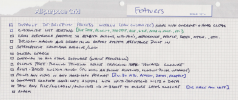
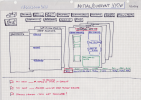
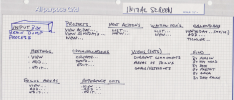
I tried to approximate that “ideal dashboard” by leveraging what already existed inside my current stack (Todoist, OneNote, Outlook). You can get part of the way there. But to truly reproduce something like the “What’s on your mind?” capture flow — especially if Outlook Desktop is your primary entry point — you quickly realize it requires much heavier plumbing.

For example:

  • If you want a native, seamless capture experience inside Outlook (both Desktop and OWA), you’re looking at building a proper Outlook add-in (VSTO or Office.js).
  • And building an Outlook add-in that behaves consistently across Desktop and Web is not trivial.
  • Alternatively, you can do what I’ve done for delegation flows: trigger a PowerShell script that launches a WebView2 UI. That works beautifully — but only on Desktop.
So yes, everything is technically possible. Especially nowadays, with tools like Cursor that can generate serious code from structured prompts.

But here’s the real trade-off:
At some point, you’re no longer designing a GTD dashboard. You’re architecting an ecosystem.

And that decision should be intentional. Because the complexity cost (maintenance, compatibility, deployment, updates, security) grows fast.

So my takeaway after going down that path:
Getting close to the “ideal GTD blueprint” view is possible — but it requires infrastructure decisions, not just UI tweaks.

If someone really wants to design that level of control panel, I’d suggest first clarifying:
  • What is the primary capture entry point?
  • Where does clarification happen?
  • What is the single source of truth?
  • What must work cross-platform?
  • What is acceptable friction?
Once those are clear, the technical layer becomes much easier to design. And yes — with today’s AI tooling, building it is absolutely within reach. But clarity about architecture must come before elegance of interface.


1771828768385.png


1771828649308.png
1771828896806.png

1771828928389.png
 
I tried to approximate that “ideal dashboard” by leveraging what already existed inside my current stack (Todoist, OneNote, Outlook). You can get part of the way there. But to truly reproduce something like the “What’s on your mind?” capture flow — especially if Outlook Desktop is your primary entry point — you quickly realize it requires much heavier plumbing.

For example:

  • If you want a native, seamless capture experience inside Outlook (both Desktop and OWA), you’re looking at building a proper Outlook add-in (VSTO or Office.js).
  • And building an Outlook add-in that behaves consistently across Desktop and Web is not trivial.
  • Alternatively, you can do what I’ve done for delegation flows: trigger a PowerShell script that launches a WebView2 UI. That works beautifully — but only on Desktop.
So yes, everything is technically possible. Especially nowadays, with tools like Cursor that can generate serious code from structured prompts.

But here’s the real trade-off:
At some point, you’re no longer designing a GTD dashboard. You’re architecting an ecosystem.

And that decision should be intentional. Because the complexity cost (maintenance, compatibility, deployment, updates, security) grows fast.

So my takeaway after going down that path:
Getting close to the “ideal GTD blueprint” view is possible — but it requires infrastructure decisions, not just UI tweaks.

If someone really wants to design that level of control panel, I’d suggest first clarifying:
  • What is the primary capture entry point?
  • Where does clarification happen?
  • What is the single source of truth?
  • What must work cross-platform?
  • What is acceptable friction?
Once those are clear, the technical layer becomes much easier to design. And yes — with today’s AI tooling, building it is absolutely within reach. But clarity about architecture must come before elegance of interface.


View attachment 2415


View attachment 2414
View attachment 2416

View attachment 2417
@Y_Lherieau

In regards to your very good GTD feedback:

What is the primary capture entry point?
'First Sheet' is exclusively a Capture Sheet (Directly or from Paper)


Where does clarification happen? . . . From the First Capture Sheet . . . Cut-&-Paste for Organize either:
Sheet 2: Projects (2 Sheets: Decreasing or Increasing) . . . all life concerns are modeled dynamically
Sheet 3: Contexts (Next Actions list elegantly tucked-in Comments [via Ctrl+Alt+m] for hard-edge 'minimalist' view)

What is the single source of truth?
'Everything', outside of Mind-Sweep Journal, Reference (Paper) and Tickler, mostly in one digital place
Clearly Completed, Easy to Find, etc.

What must work cross-platform?
Copy-&-Paste compliant
Online http Links Copy-&-Pasted tucked-in Comments for repeatable access

What is acceptable friction?
None . . . always decreasing all Cost: Deliberation, Finding, Reviewing, Tweaking, Wondering, etc.

Still working maximizing available Sheet features

Thank you very much
 
Last edited:
Top